FREQUENTLY ASKED QUESTIONS (F.A.Q.)
EVERYTHING YOU NEED TO KNOW SO YOU CAN ORDER LIKE A PRO!
Download the new mobile app today and enjoy a more convenient and enjoyable dining experience.
Key improvements you’ll find in this new ordering system:
- Efficiency: Faster ordering, easier navigation
- Accuracy: Real-time menu updates
- User-friendliness: Intuitive design, improved user experience
How do I get Café BonApp?
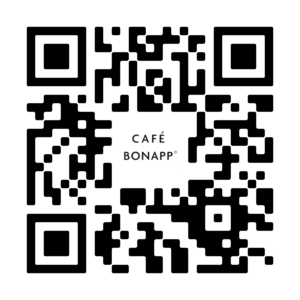
Café BonApp is available for download wherever you get your mobile apps, including the Apple App Store or Google Play site. Scan this QR code with your mobile device and get start today:
How do I connect to my campus?
When you open the app for the first time you will be prompted to enter an access code, type columbia to connect to our campus.
Do I have to enter the access code, e-mail address, and verification code each time I want to use the app?
No, the app will remember all this information as long as you remain logged in. However, for security purposes, only one application can be open at once for your account (web browser or app); once you open another platform you will need to reauthenticate and sign-in again.
Do I have to download the mobile app to order?
No, you can also place orders using a mobile weblink or visit one of our café kiosks. However, without an account (available only in the mobile app), you won’t have access to features like order history and the ability to easily repeat past orders.
To place a web order, visit: https://qrco.de/bghyBW
Looking for an even quicker option? Sign up for Menu Mail to order directly from your inbox: https://qrco.de/bgIURS
What is the ordering process?
- Place your order via the APP or in café kiosk.
- Once your order is confirmed, you will receive an order number.
- Wait for your order to be freshly prepared.
- Look out for your number and pick up your order once it is ready.
How do I add a payment method?
- Download the app
- Choose your location from the drop down menu at the top of the screen
- Add your menu items to cart
- Proceed to checkout
- Choose payment method (debit/credit or Apple Pay)
- Click “save the payment information for future transactions”
What happens if I miss picking up my order within the specified window of time?
To help us minimize waste, we request that you make every attempt to pick-up during your scheduled time. We will keep your prepared order at that station you ordered until service closes: breakfast 10:30 a.m. and lunch 2:00 p.m.
If you are unable to make your pick-up window, please see a team member.
What if the time I want isn’t available?
To ensure a smooth pick-up experience, we have limited the number of orders per time slot. If your first choice is unavailable, please select an alternative time.
How far in advance can I book my slot and place my order?
As of now, we are only taking same day orders.
Can I place a repeat order from my previous order history or do I have to enter it again?
Yes, in your order section at the bottom row, there will be a reorder button from your history. However, please note some items may not be offered due to chef specials and seasonality.
I like my food and drink prepared a certain way, can I modify menu items or provide specific instructions through the app?
There are options to customize your order.
Do I have to use Café BonApp to order from Columbia’s Café’s?
Yes! At this time, we are only taking orders through the app, kiosk or desktop link. The easiest and most preferred way to place an order is via the app.
I need a receipt for my purchase, does the app provide one?
Yes, in the orders section, completed orders will have a receipt option.
Am I able to preview the breakfast or lunch menu in the app?
Yes! In the top right corner, you can select which day you would like to view. After selecting the correct date, click through the stations you would like to view.
How do I get a notification once my order is ready?
When ordering through the app, go to account -> My Profile page and enter in your mobile number and first and last name. You will get a text message once your order is ready.
Can my name be printed on my receipt if I order through the app?
Yes! In the app, go to account -> My Profile page and enter your first and last name.
I have a problem with my order or the app, how do I get help?
Within the app there is an “Account” button, click that and you can submit your issue using the “Support” function.
How can I provide feedback?
We’d love to hear from you. In the Café BonApp app, navigate to the Account page (bottom right) and scroll down to the Feedback section to share your thoughts.
I have additional questions not answered here, who can I talk to?
Please contact kredshaw@columbia.com